
Two files in.
One clear reconciliation out.
Upload a provider settlement report and your internal transaction export. Tell Rekkon which columns mean “reference” and “amount” — it matches, flags, and explains every discrepancy.
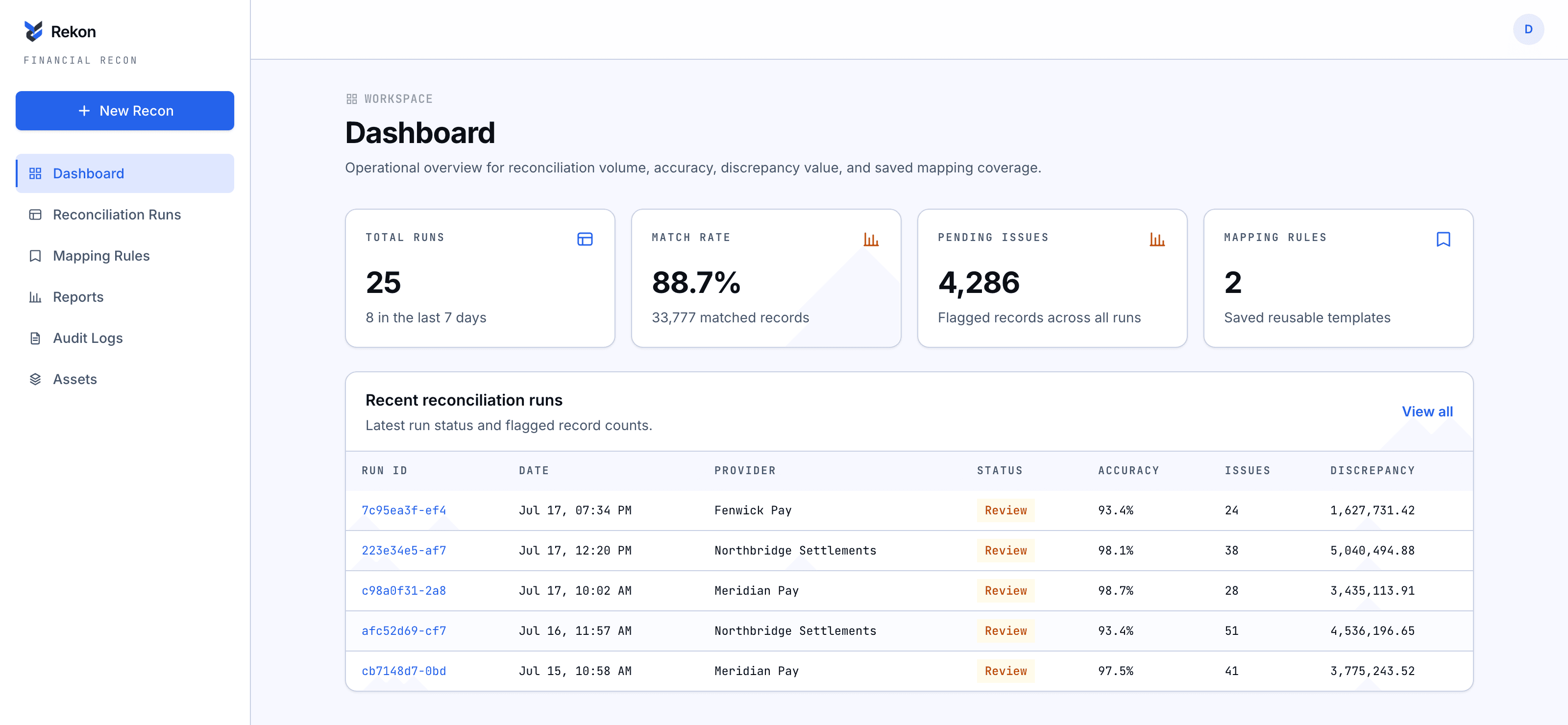
0
discrepancy categories — matched, mismatched, missing, unexpected, duplicate, invalid — sorted automatically.
0
hardcoded column names. Match on reference, session ID, or order number — whatever your data calls it.
0
files is all it takes: one provider export, one internal export — CSV or Excel.
How it works
From two files to a finished reconciliation
Upload
Drop in your provider settlement file and your internal transactions file — CSV or Excel. Rekkon reads the real headers instantly, no template required.
Map columns
Pick which column is the match key — reference, session ID, whatever you call it — which is the amount, and which extras to keep for context.
Set the rules
Use the built-in defaults, or write your own in a small rule language with autocomplete on provider. and internal. columns.
Reconcile & export
Every row lands as matched, mismatched, missing, unexpected, duplicate, or invalid. Export everything, or just the exceptions.
Product
One run, three views
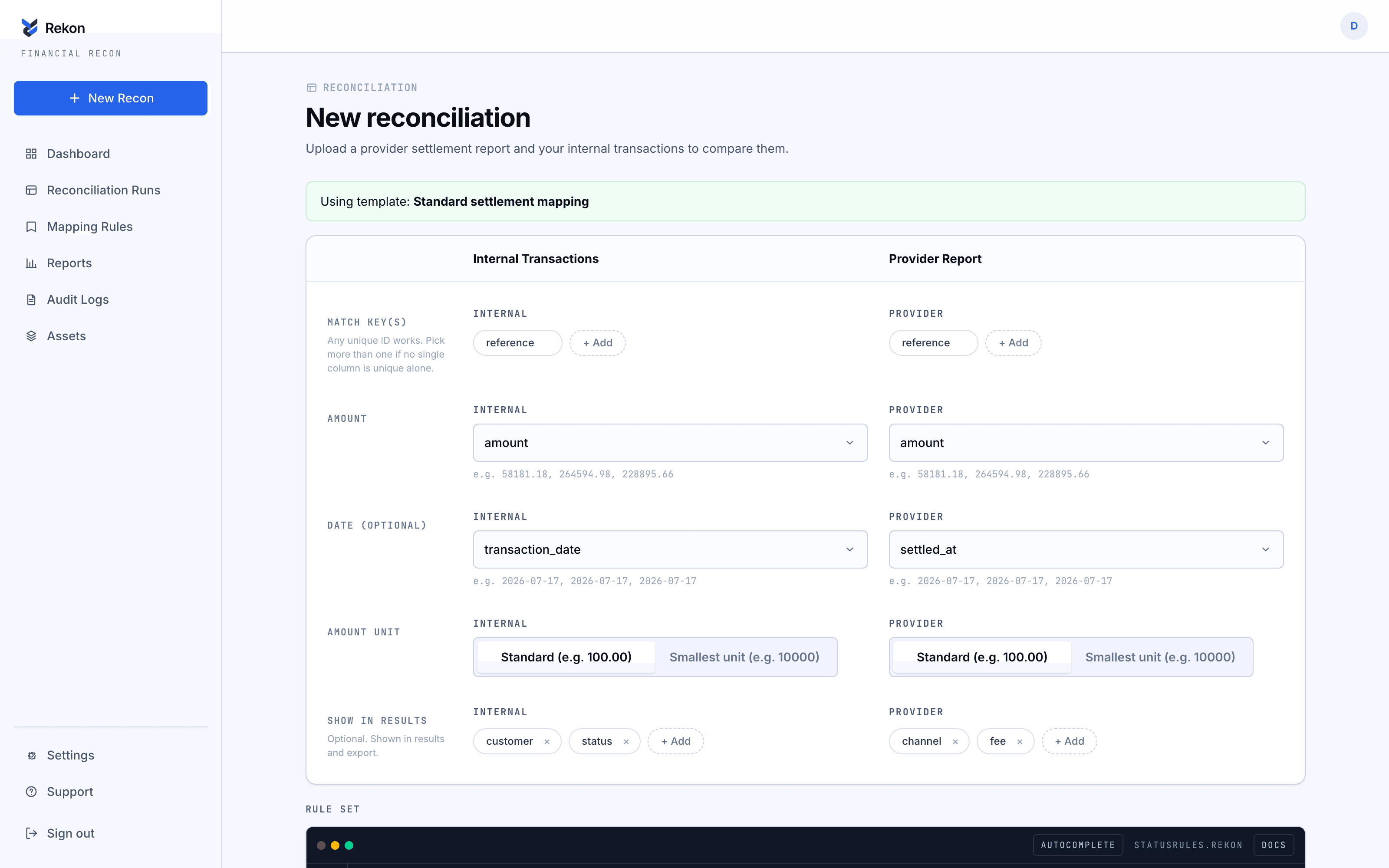
Map your columns
Choose match keys and extra columns from your real headers — nothing hardcoded.
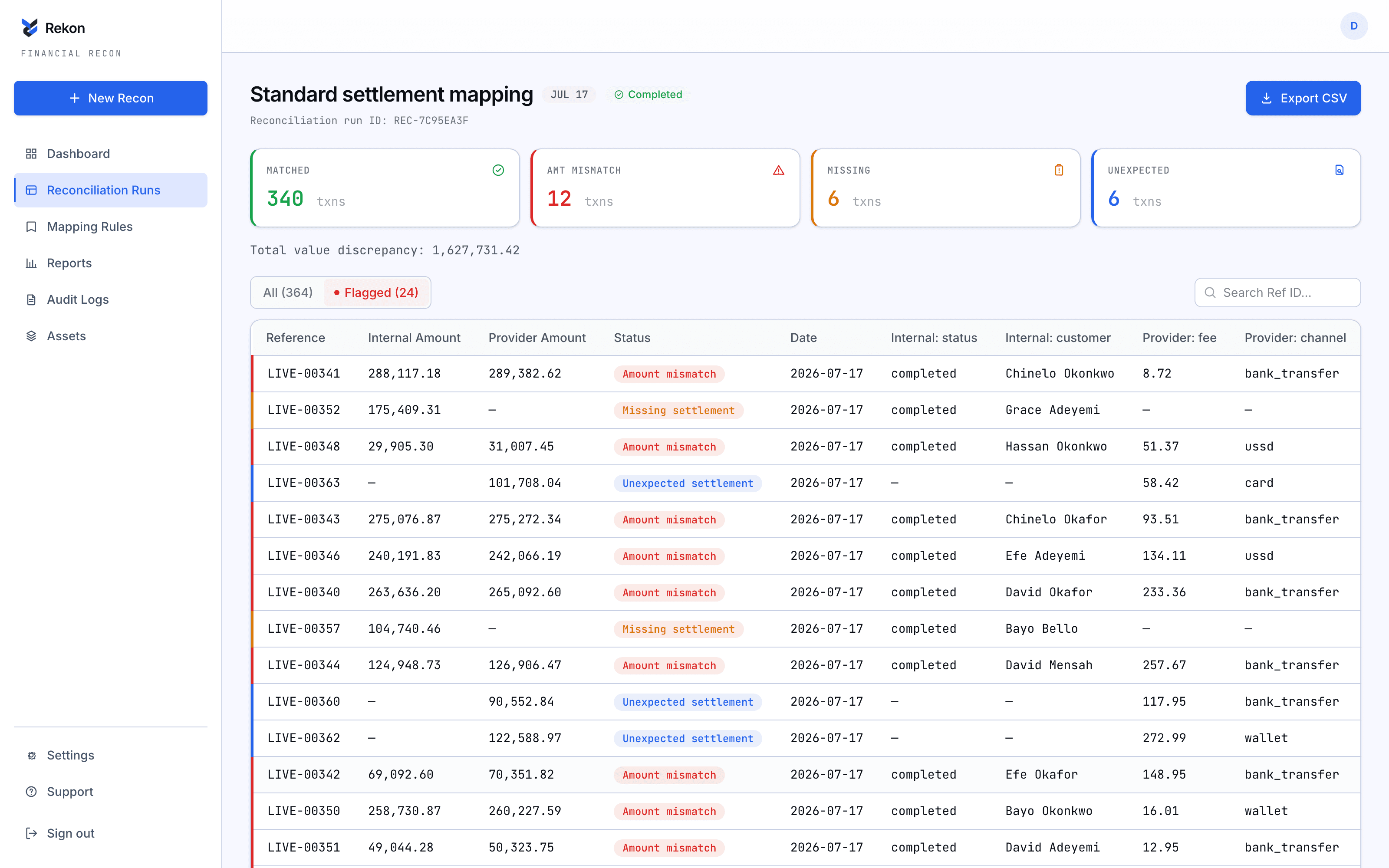
Review every match
Matched, mismatched, missing, unexpected, duplicate, invalid — each row lands in exactly one bucket.
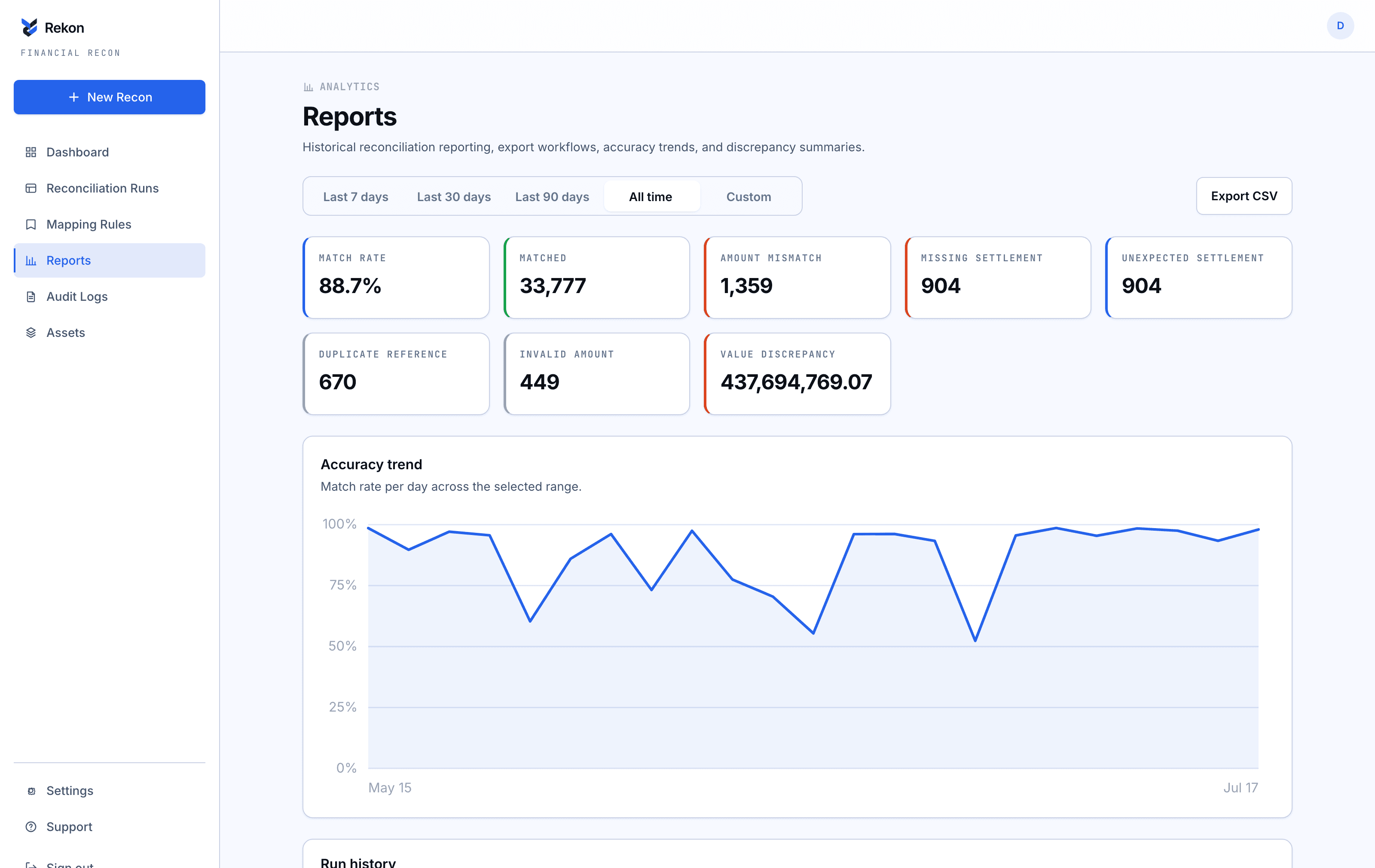
Track it over time
Match-rate trends and discrepancy breakdowns, per provider, per day.
Rule engine
Write the exact logic that decides a match
Rekkon ships with sane defaults, but every rule is plain text you can edit — reference provider.amount or internal.status directly, chain conditions, and name the outcome whatever your team calls it.
- Autocomplete on every column from your actual uploaded headers.
- Custom status labels — call it “needs_review” instead of “amount_mismatch.”
- Falls back to this exact default rule set if you never touch it.
Everything included
Built for the whole reconciliation lifecycle
Six-way status engine
Every row lands as matched, amount mismatch, missing, unexpected, duplicate, or invalid — never left "unresolved."
Reusable mapping templates
Save a column mapping once per provider feed, and Rekkon suggests it automatically next time the headers match.
Match-rate trends
A day-by-day view of match rate and discrepancy volume, filterable by date range, exportable as CSV.
Full audit trail
Logins, uploads, mapping saves, runs, and exports — every action timestamped and attributable.
Provider inventory
A running list of every provider feed you have reconciled against, with an average match rate per provider.
Your defaults, remembered
Set your preferred match mode, duplicate handling, and amount unit once — every new run starts from there.
Your next reconciliation takes two uploads.
No sales call, no setup fee, no seat limits to negotiate. Create an account and reconcile your first pair of files in the next five minutes.